
Why Every FPV Beginner Should Start with a Simulator (And a Real Radio)
2026 Apr 28th
Why Every FPV Beginner Should Start with a Simulator (And a Real Radio)
You’ve seen the footage: drones diving down the sides of skyscrapers, weaving through abandoned buildings, or chasing drift cars at 100km/h. It looks like magic, and you want in.
But there’s a secret the pros don't always mention: FPV is hard. Unlike a standard GPS drone that stays perfectly still the moment you let go of the controls, an FPV drone in "Acro Mode" is entirely manual. If you tilt it forward, it stays tilted until you manually level it back. If you don't manage the throttle, it falls like a rock.
To save your wallet (and your sanity), your FPV journey shouldn't start in a field—it should start on your computer.
The "Muscle Memory" Factor
Learning to fly FPV is less like driving a car and more like learning a musical instrument or a sport. You need to develop "muscle memory" in your thumbs (or fingers, if you're a "pincher").
In a simulator, you can fly, crash, and reset in two seconds. In the real world, a single "oops" can mean three weeks of waiting for replacement motors or a new frame to arrive in the mail. By putting in just 10 to 15 hours in a simulator, you bridge the gap between "how do I stay in the air?" and "how do I turn left?"
Why You Need a Real Radio Transmitter First
You could play an FPV simulator with a gaming controller (like an Xbox or PlayStation pad), but we don't recommend it. Gaming controllers have spring-loaded sticks that snap back to the center on both sides. A real FPV radio has a "friction" throttle on the left side that stays exactly where you put it.
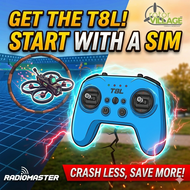
By purchasing a quality radio first—like a RadioMaster Pocket, T8L or TX15—you are buying the most important piece of gear you’ll own. These radios connect via a simple USB-C cable to your PC or Mac and are recognized instantly as a joystick.
Top Simulator Recommendations for 2026
There are several great options depending on what kind of flying you want to do:
-
DIYFPV Drone Simulator: The brand new and all FREE drone simulator that will run on almost any computer in your web browser - check it out here!
-
Liftoff: The most popular choice with a massive community and plenty of licensed parts to build "virtual" versions of the quads we sell.
-
Velocidrone: Known for having the most "true-to-life" physics, often preferred by racers.
-
Uncrashed: Stunning graphics that make the experience feel incredibly immersive.
-
Tryp FPV: Features massive maps for those who want to practice long-range mountain surfing.
The Rotor Village "3-Hour Rule"
Our advice to every new pilot who walks through our virtual doors is the 3-Hour Rule. Spend at least three hours in the simulator. Practice hovering in one spot, then practice flying through a single gate. Once you can fly a few consecutive laps without a major "reset," you are officially ready for your first "Maiden Flight" with a real drone.
Ready to start? Check out our Radios & Transmitters section to pick up your first controller and get those sim hours started. Your future self (and your bank account) will thank you.
P.S. If you don't have a computer that can run a Sim, forget this article, buy a whoop and have a blast!